
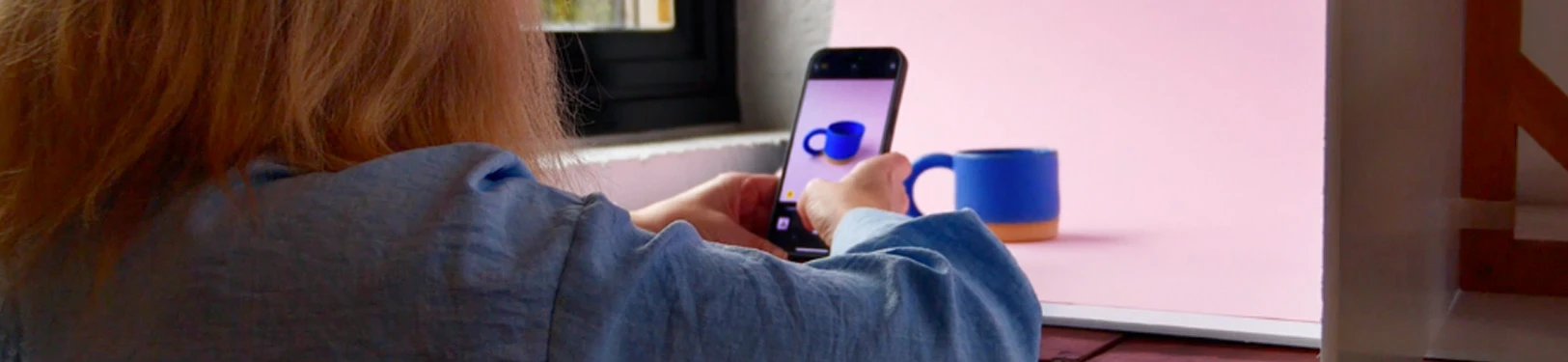
TAKE GOOD PRODUCT PHOTOS WITH JUST A PHONE
With just your phone, a couple of foam boards, and the right natural light, you can get professional-looking product photos at home at a low cost.
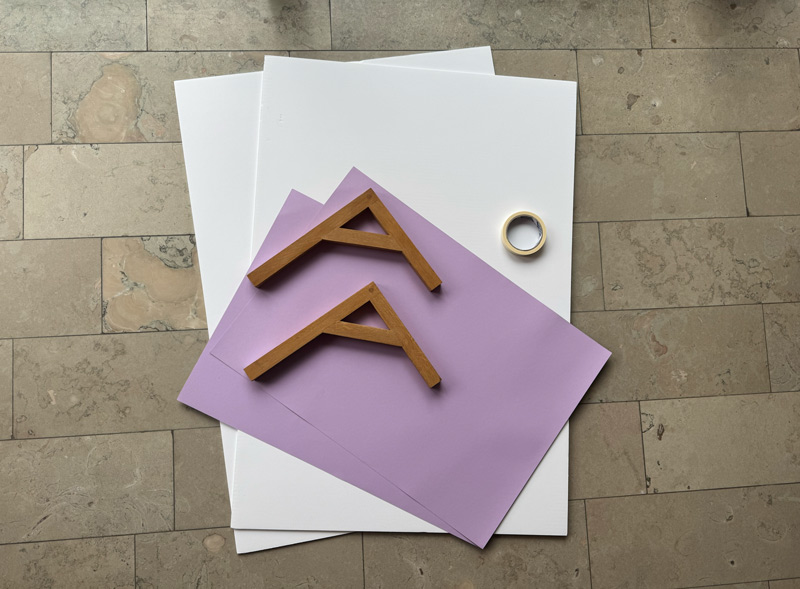
You’ll need two or three white foam boards, shelving brackets and tape, bright natural light or a single LED, and background paper if you want a specific colour as your background.
Tape the foamboard onto the bracket so that it can stand up on it's own.
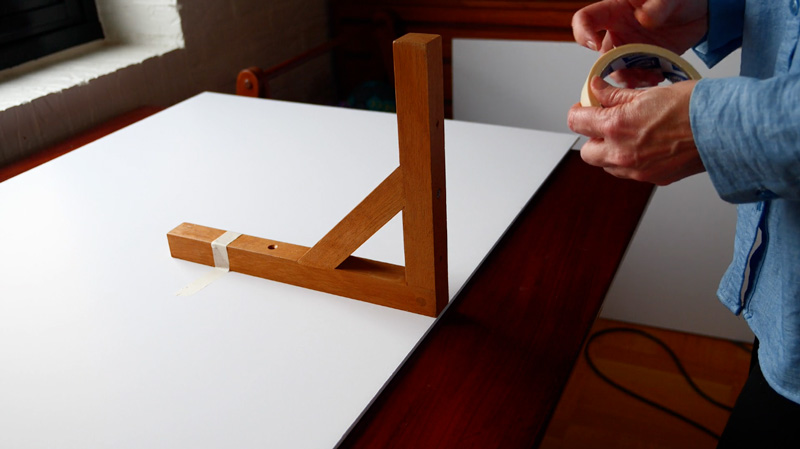
Set up your foam boards in an L shape - one behind your product, and one on the side facing your light source. The second board bounces light back to soften shadows.
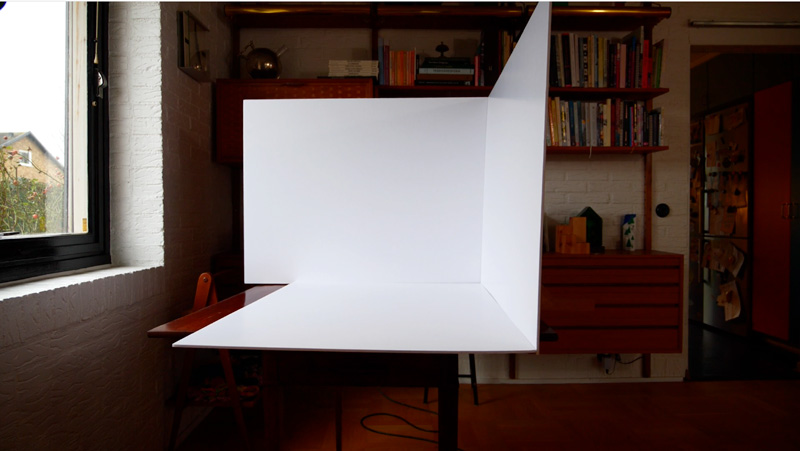
You can also place a third foam board as a base if you want an all white background.
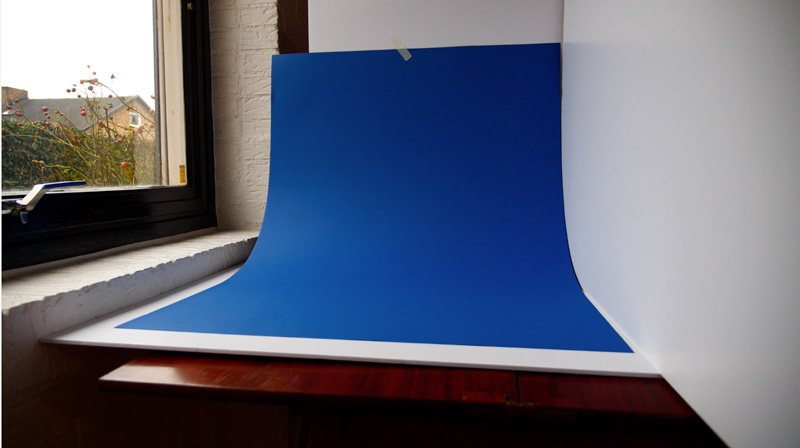
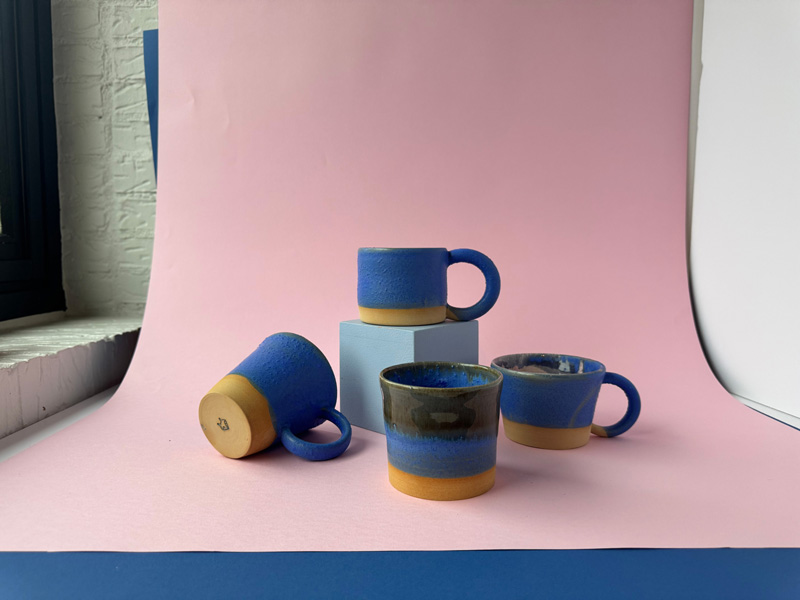
For a seamless background, curve a larger piece of paper behind and underneath your product. We have bought ours at Matton.
If you have access to a bright window, that’s ideal. The best light comes from a window without direct sunlight, as it creates soft, even illumination. If your light is too harsh, diffuse it with a thin white curtain or shoot on a cloudy day. This will help create gentler shadows and a more flattering look for your product photos.
No window? Use one LED or ring light about 45 degrees off to the side.
Bounce the light off your second foam board to even out shadows.
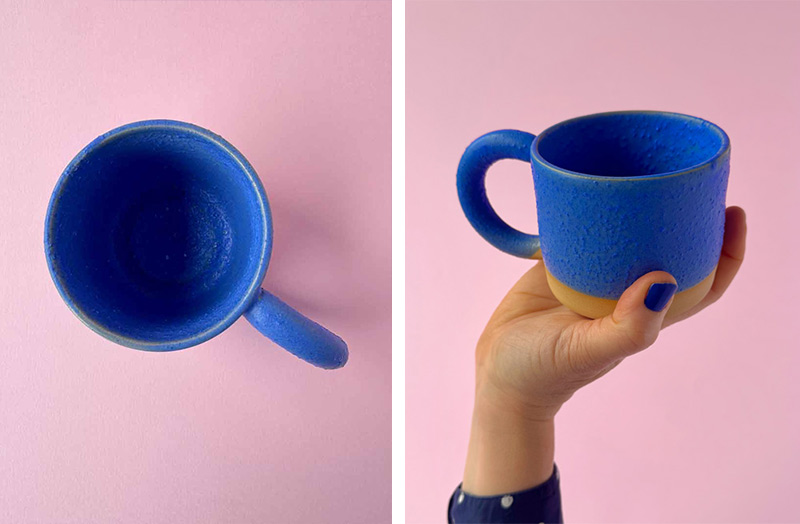
Keep your shots simple and clear. To help people understand your product properly, photograph it from multiple angles so its shape and details are easy to see. Include at least one image that shows the product in relation to something familiar, such as a hand, to give a sense of scale.
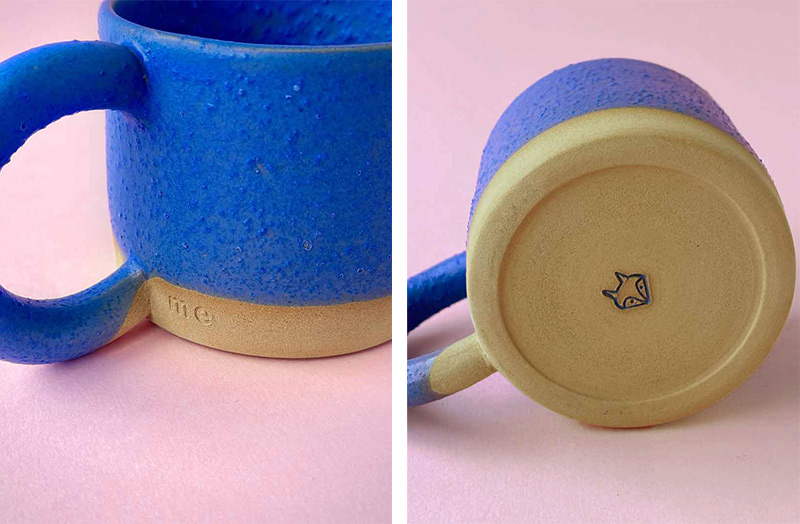
Photograph your product straight on, directly from above, and from the side. For your main image, keep the product centred and uncluttered. Use close-up shots to highlight materials, textures, and small details that might otherwise be missed.
We recommend using 5 to 8 images per listing. When people shop online, they cannot touch or hold the object, so clear photos help them understand exactly what they are buying and reduce the risk of returns.
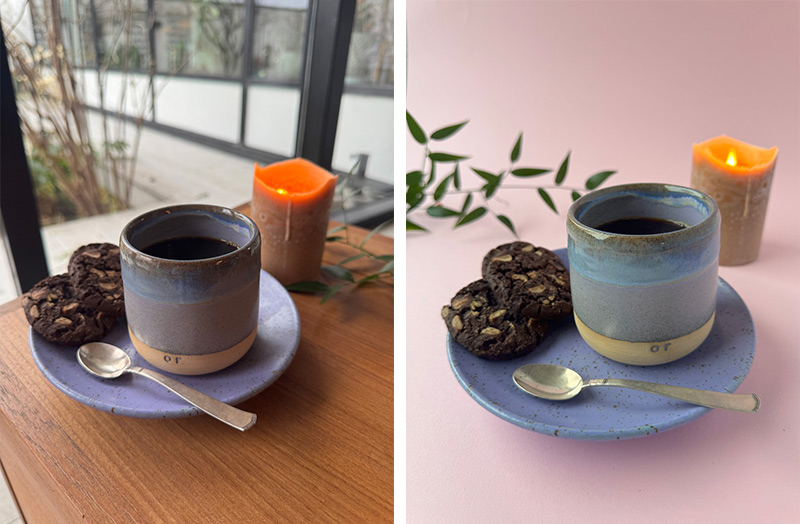
Alongside clear product shots, lifestyle images help people imagine the piece in their own life. They show how the product is used, where it lives, and what kind of atmosphere it creates. This makes the object feel more relatable and easier to connect with on an emotional level.
Lifestyle shots also provide context. They help communicate scale, function, and mood in a way that studio-style images often cannot. When buyers can picture the product in a real setting, they feel more confident in their decision and are more likely to follow through with a purchase.
These images don’t need to be staged or polished. Simple, natural moments often work best and help your work feel grounded and authentic.
If you’re not already a paying subscriber to Adobe Photoshop or Lightroom, we recommend using the free version of Adobe Lightroom Mobile. Make small adjustments to exposure and colour, aiming to keep the image as natural and true to the product as possible.
Accurate colour is especially important. If a product looks different in real life than it does in the photos, customers are more likely to be disappointed when it arrives and request a return. Clear, honest images help set the right expectations and create a better experience for everyone.

See? You don’t need a studio or fancy equipment to create clear, professional-looking images.

Related Blog
THINKING IN COLLECTIONS
Jan 23, 2026 by BamAdmin
Business inspiration for Makers